Without TRYPS
- Endless group chat messages, no decisions
- Dates that never get locked
- Plans scattered across notes & chats
- One person stuck organising everything
- Awkward money follow-ups after the trip
TRYPS gets your group to lock dates, build a shared itinerary, and split expenses — one link, no downloads, no sign-ups.
Join 500+ groups already planning trips.
500+ groups planning · 12k+ messages routed · Built in NYC
According to U.S. Travel Association research, group travel is among the most planned and most often postponed category of leisure trips — coordination, not desire, is what stops them.
Send one link. No apps, no accounts, no "wait, what are we using?" — your whole group is in and contributing in seconds.
One poll. Everyone responds. Dates decided — no endless back-and-forth.
A shared itinerary everyone can see and update — no confusion, no scattered notes.
Track who paid what and who owes whom — settle up cleanly at the end.
Capture preferences early so you don't plan a trip half the group isn't excited about.
Start your group trip
Get startedStart a trip in seconds. Share a link or iMessage so everyone joins instantly.
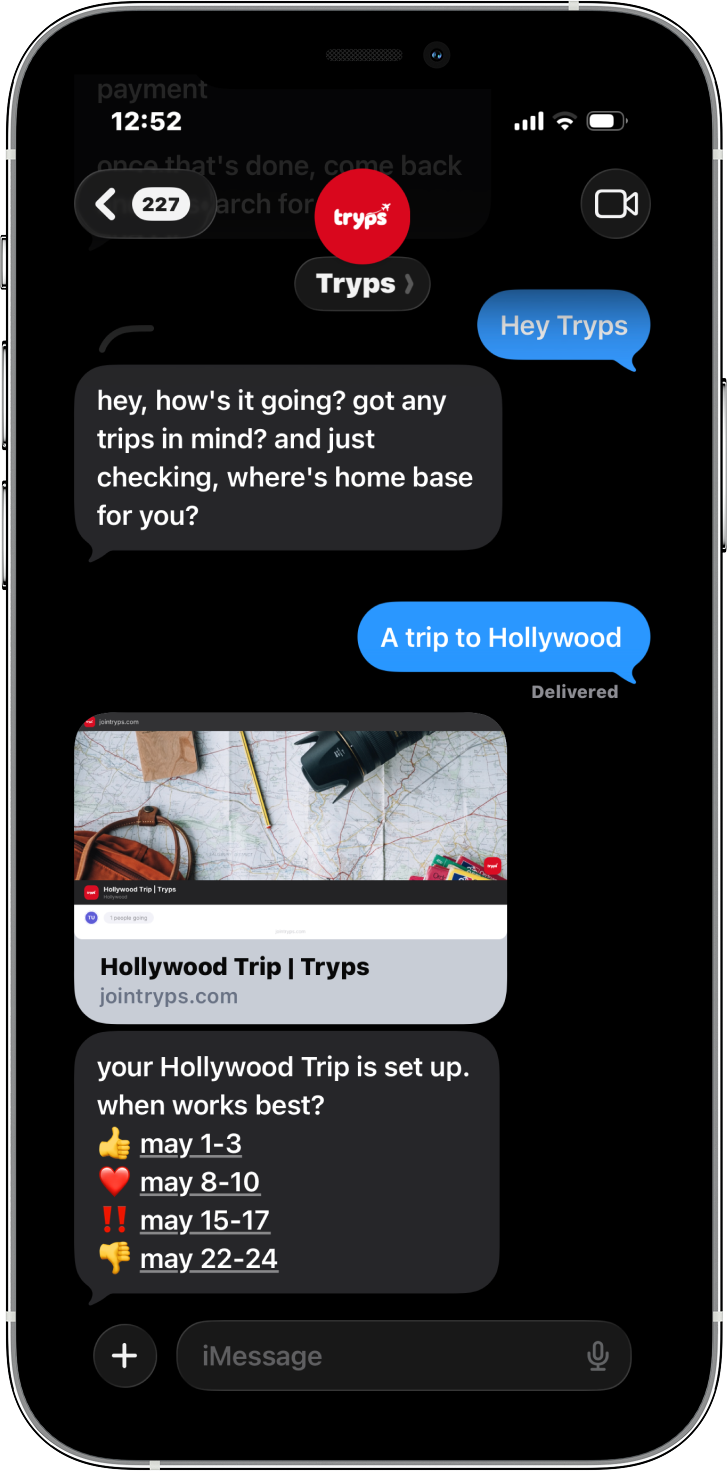
Run one availability poll so your group can pick dates without endless back-and-forth.
Add places, stays, activities, and notes to one shared itinerary everyone can update.
Track shared costs during the trip so everyone can see balances and settle up cleanly.
"We went from months of vague group-chat messages to a booked trip in less than a week. The date poll alone saved us hours."
"Usually one person ends up managing everything. This time the plan felt shared, and the money part did not become awkward."
"The biggest win was that nobody had to install anything just to respond. That removed the usual friction immediately."
Pick a recipe. We'll scaffold the dates, itinerary, and splits so your group can just fill in the blanks.
Two nights, four friends, zero planning spreadsheets.
Start this tripCoordinate 8+ friends without becoming the event planner.
Start this tripSalt, sun, and a shared tab that settles itself.
Start this tripParis → Lisbon → Barcelona — dates, stays, expenses in one place.
Start this tripWho drives, who fills up gas, who picks the playlist — all tracked.
Start this tripSurprise a friend without group-chat leaks.
Start this tripInstead of planning across chat, notes, and payment apps, your group gets one shared flow: invite, poll, plan, and split.
Hey! Join our Amalfi trip
trypsagent.com/amalfi-2025
No "please switch to our app." TRYPS slides into the apps your group is already using.
TRYPS is a group trip planning app for friends that helps you coordinate dates, build a shared itinerary, and split expenses — all in one place.
WhatsApp is good for chatting and Google Sheets is flexible for manual planning, but neither is built for making group travel decisions. TRYPS gives your group one structured place to vote on dates, plan the itinerary, and track shared costs so decisions happen faster and fewer details get lost.
No. People can join instantly via link or iMessage without installing anything.
Yes. Everyone can respond to polls, contribute to the itinerary, and log expenses.
Log shared costs as they happen and TRYPS tracks balances so everyone can see what they owe at the end of the trip.
Enter your mobile number on the TRYPS homepage and tap Join. Your Messages app (iMessage on iPhone, Messages on Mac) opens a new chat to our Tryps AI planner at +1 (917) 745-3624 with “Hey Tryps” ready to send. Hit send and Tryps replies straight back — no app download or email sign-up required.
Create a trip, share the link with your group, and start planning together.
long enough.
Create a trip. Share the link. Get everyone aligned in minutes.
Get started

